MapGuide API Reference
 All Classes Functions Variables Enumerations Enumerator Friends
MgByteSource Class Reference

Represents a source of byte data with a specific content type. More...

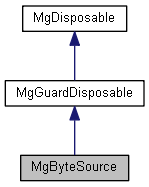
+ Inheritance diagram for MgByteSource:

List of all members.

Public Member Functions

STRING GetMimeType ()
 Gets the mime type of the data in this reader. See MgMimeType for list of supported mime types.
MgByteReader * GetReader ()
 Gets a reader for this byte source.
 MgByteSource (CREFSTRING file)
 Construct a MgByteSource object from the specific file.
 MgByteSource (BYTE_ARRAY_IN buffer, INT32 length)
 Construct a MgByteSource object from an array of bytes.
void SetMimeType (CREFSTRING mimeType)
 

Detailed Description

Represents a source of byte data with a specific content type.

Remarks:
The source can be initialized from an array of bytes in memory or a file. You can get a MgByteReader object from the byte source and pass it to an API function where the content will be consumed.

Here are a few scenarios to illustrate how MgByteSink, MgByteSource and MgByteReader interact:

Loading the content of a file and creating a byte reader to be passed to a service API:
  1. Create a MgByteSource passing the file name to its constructor
  2. Get a MgByteReader from this byte source using MgByteSource::GetReader() and pass the obtained reference to the service API

Receiving a byte reader from a service API and saving the result into a file:
  1. Create a MgByteSink object passing the MgByteReader reference to its constructor
  2. Call the method ToFile() on the MgByteSink object.

Saving the content of a memory buffer (or of a string) into a file:
  1. Create a MgByteSource object passing to its constructor the buffer and the number of bytes in this buffer
  2. Get a MgByteReader from this byte source using MgByteSource::GetReader()
  3. Create a MgByteSink object passing the MgByteReader reference to its constructor
  4. Call the method ToFile() on the MgByteSink object.